Blog Design Sprint

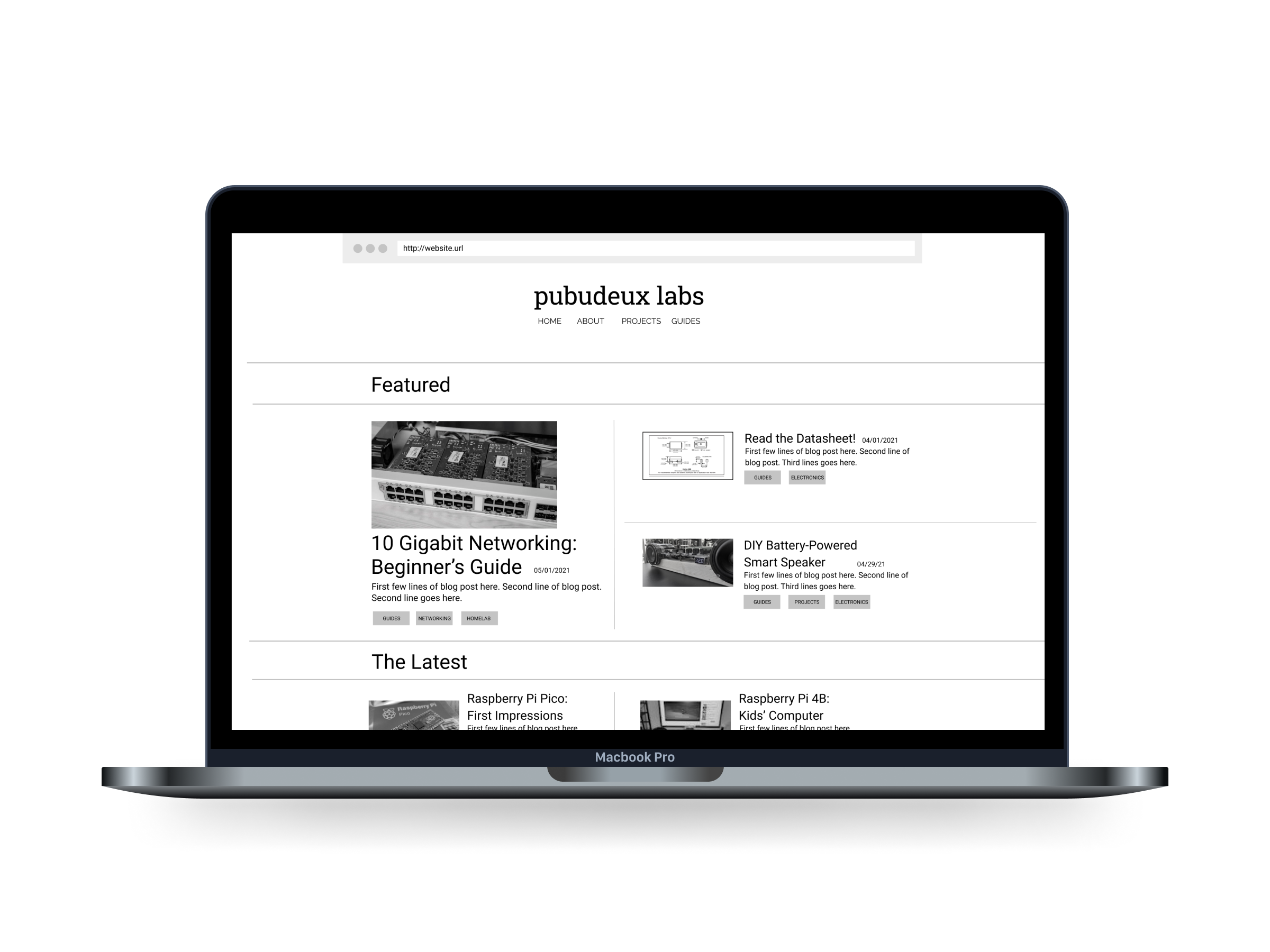
Laptop with view of homepage.
View Prototype

Summary

For this team design project, my client was an electronics hobbyist who wanted to create a blog to share his projects and guides with fellow hobbyists in a centralized location.

Roles and Responsibilities

Role: UX Designer | UX Researcher

Deliverables: User Surveys | Competitor Analysis | Personas | Journey Mapping | User Flow | Storyboard | Sketches | Wireframes | Low-fidelity Prototype

Tools used: Asana | Figma | Google Forms | Optimal Workshop | Zoom

Problem

After my client did some initial research on his own, he wanted more of a distinction between pages than what was available as standard blog templates. 

Audience

The target audience for this blog were adults 18 years of age and older and self-identified electronics hobbyists. 

Solution

I created a homepage, a blog post page and a categories page all using similar elements in different formats. This helped to create distinction between pages, while maintaining consistency across the blog.

Process

Discovery and Research

User Surveys

  • Objective → gather information about users including their behaviors, demographics and needs
  • Recruitment → recruited 10 participants through word of mouth
  • Method → created survey through Google Forms

Key Findings

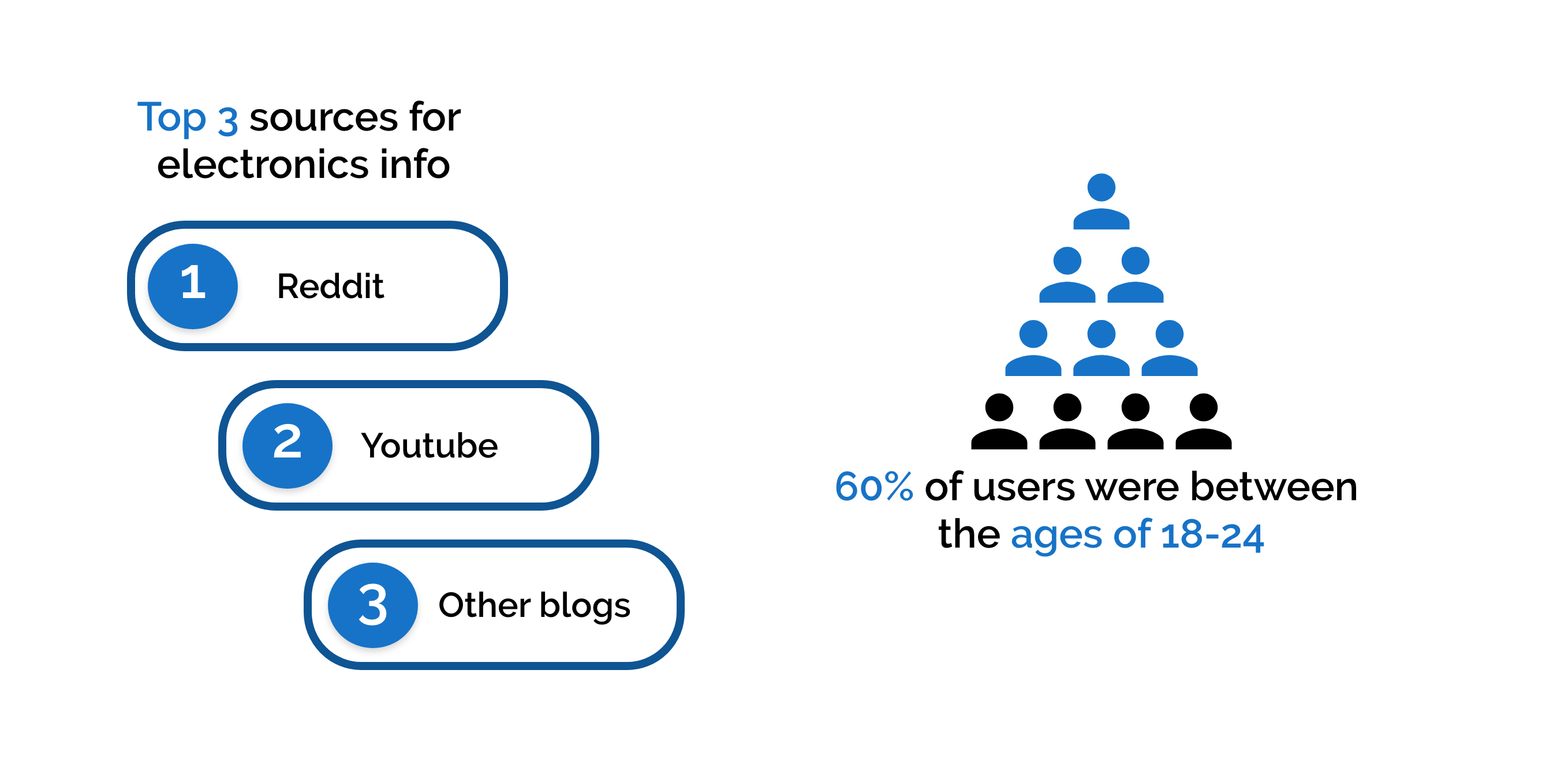
Top 3 sources for electronics info were reddit, youtube and other blogs. 60% of users were between the ages of 18 to 24.

User Interviews

  • Objective → gather more insights about users through one on one conversations
  • Recruitment → recruited participants through previous survey
  • Method → one-on-one moderated interviews using Zoom

Key Findings  

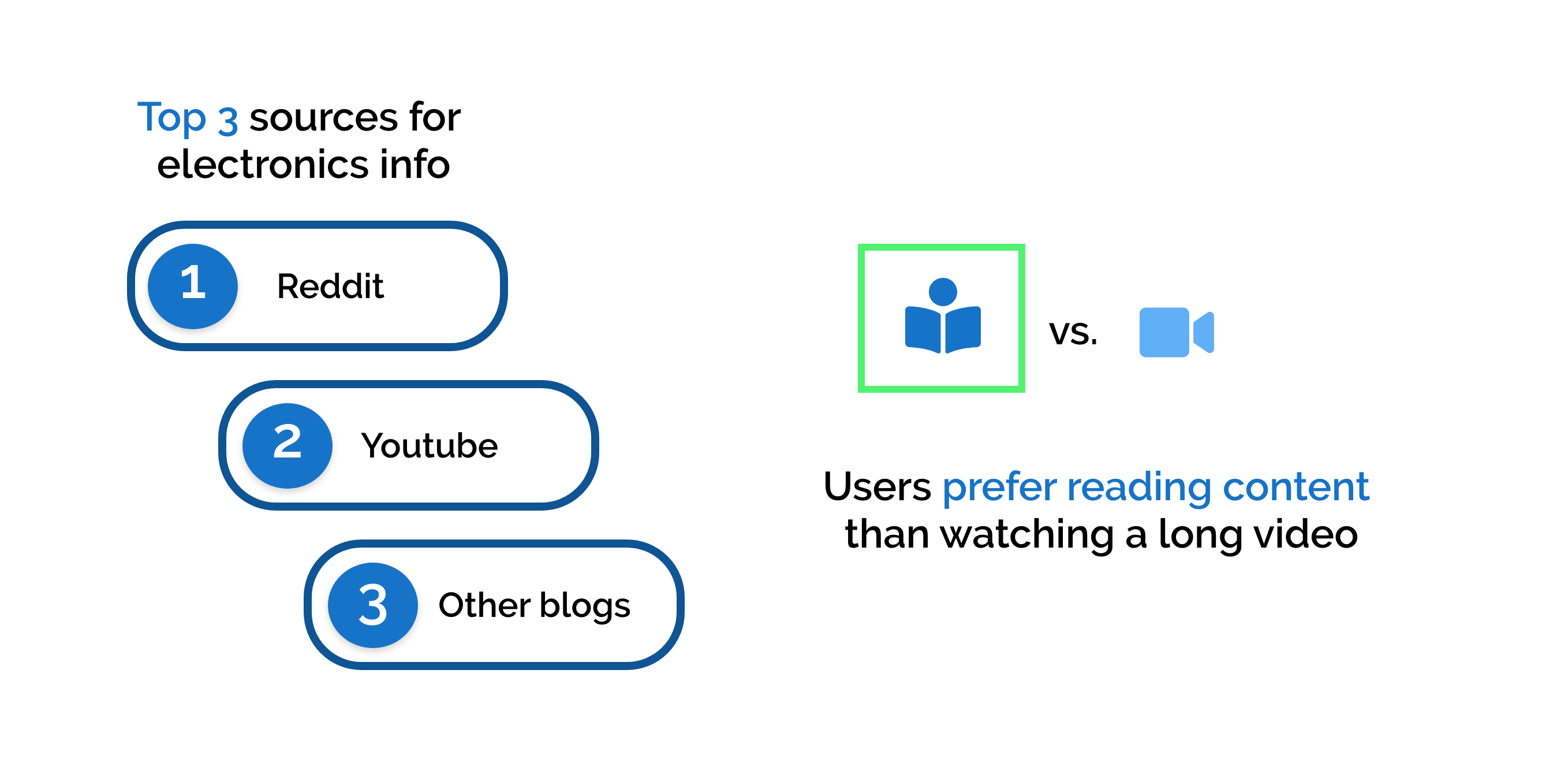
Top 3 sources for electronics info were reddit, youtube and other blogs. Users prefer reading content instead of watching long videos.

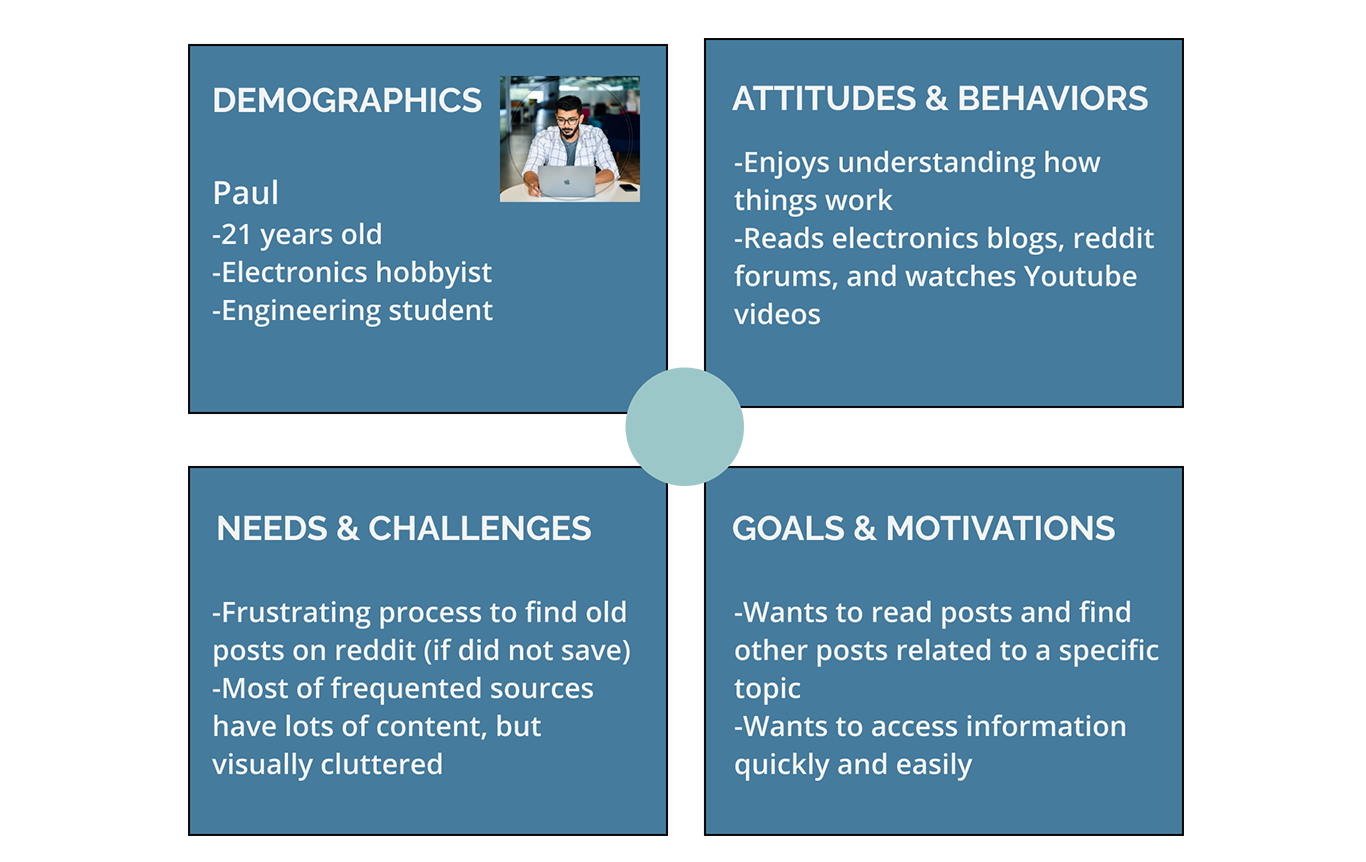
Persona

Image of persona.

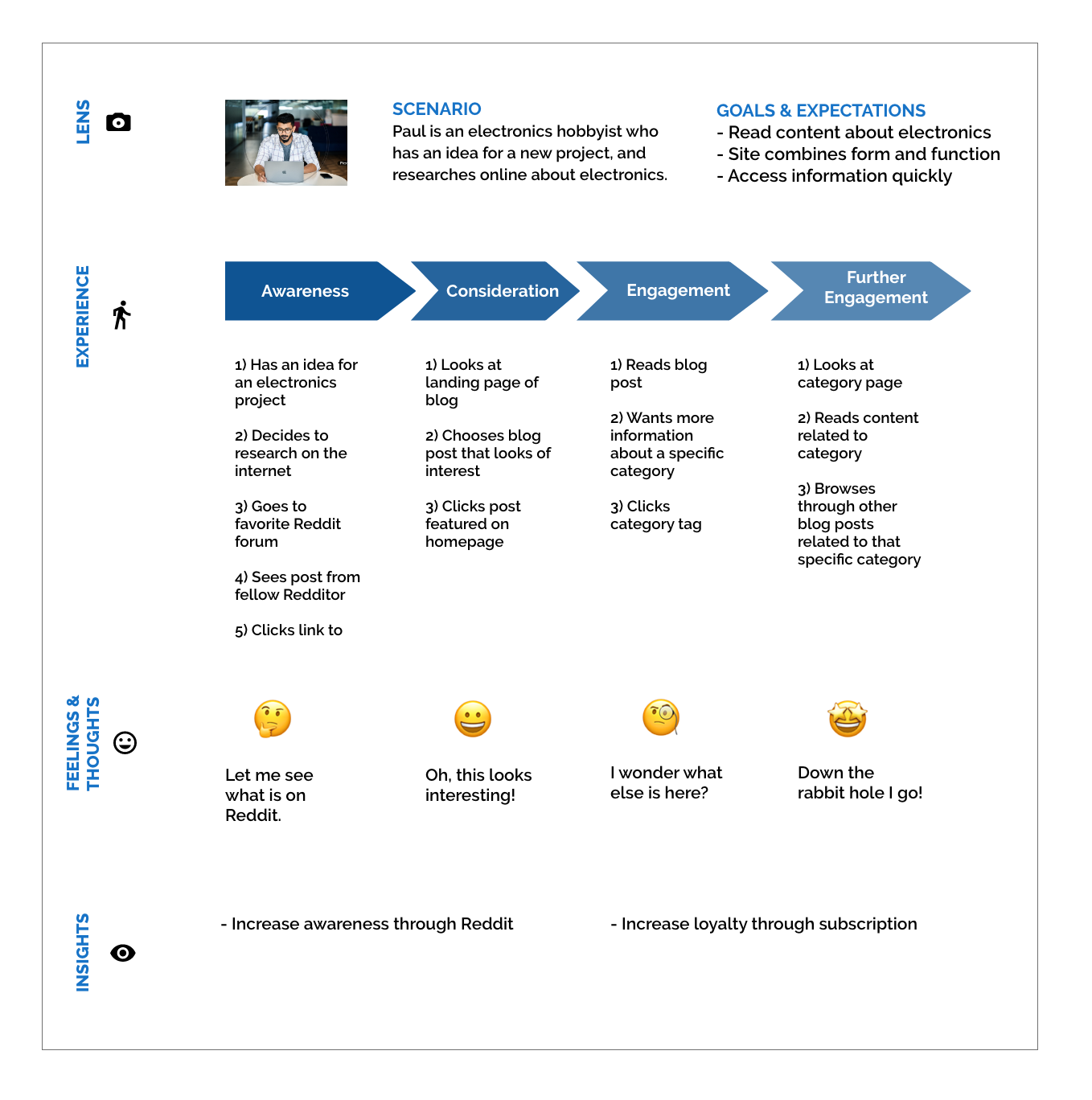
Journey Map

Journey map

Information Architecture

User Stories

  • As a user, I want to view blog posts, so that I can read information on a topic.
  • As a user,  I want to view blog posts by category, so that I can read all the information about a specific topic. 
  • As a user, I want to sign up for a newsletter, so that I know when there is new information on the blog. 

These were the top three user stories that I came up with for this project. I ultimately chose to focus on the first two user stories for this design sprint as they aligned most with the client’s proposal.

User Flows
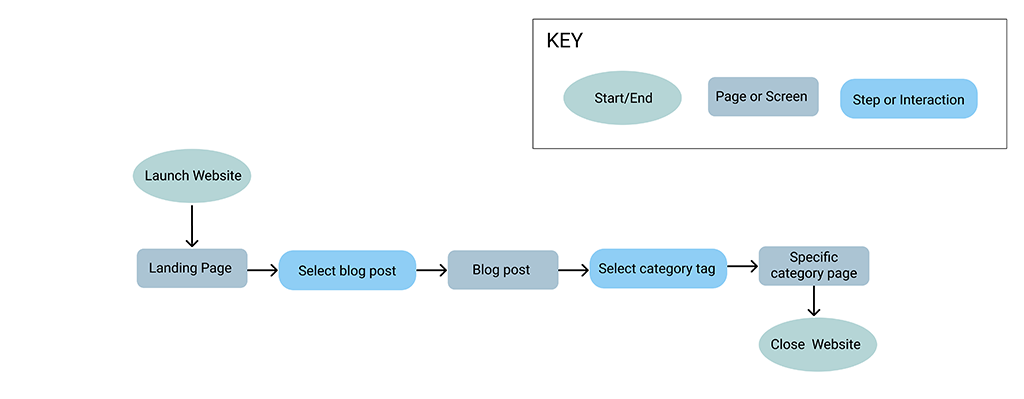
Image of user flow.

Wireframe Sketches

Image of wireframe sketches.

Digital Wireframes

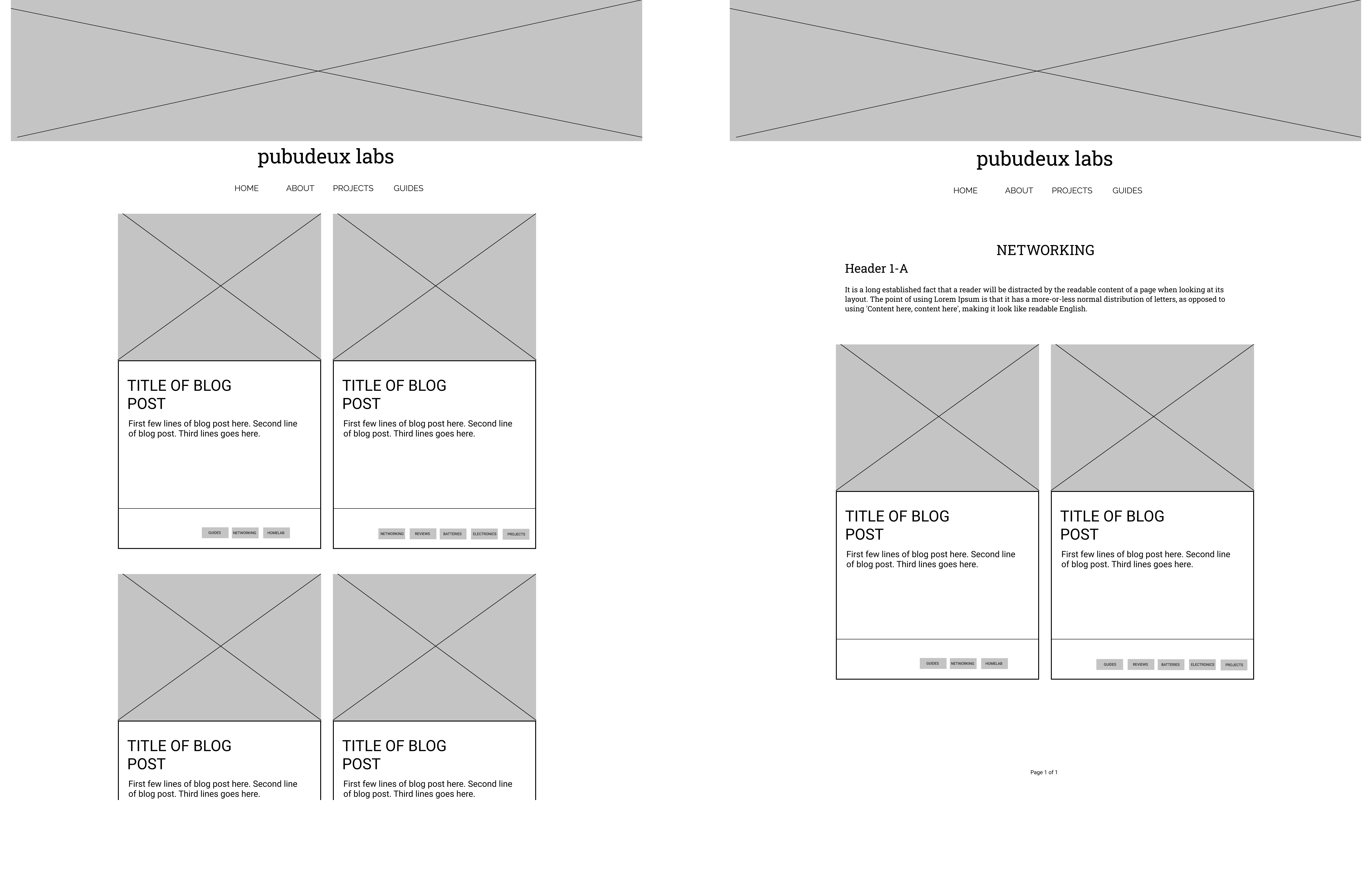
Image of digital wireframes. Home page left and category page right.

Usability Testing

  • Objective → test prototype with users 
  • Recruitment → recruited 5 participants through word of mouth
  • Method → individual usability tests through zoom
  • Difficulty Scale 0-4 → zero difficulty completing task to did not complete task

Key Findings

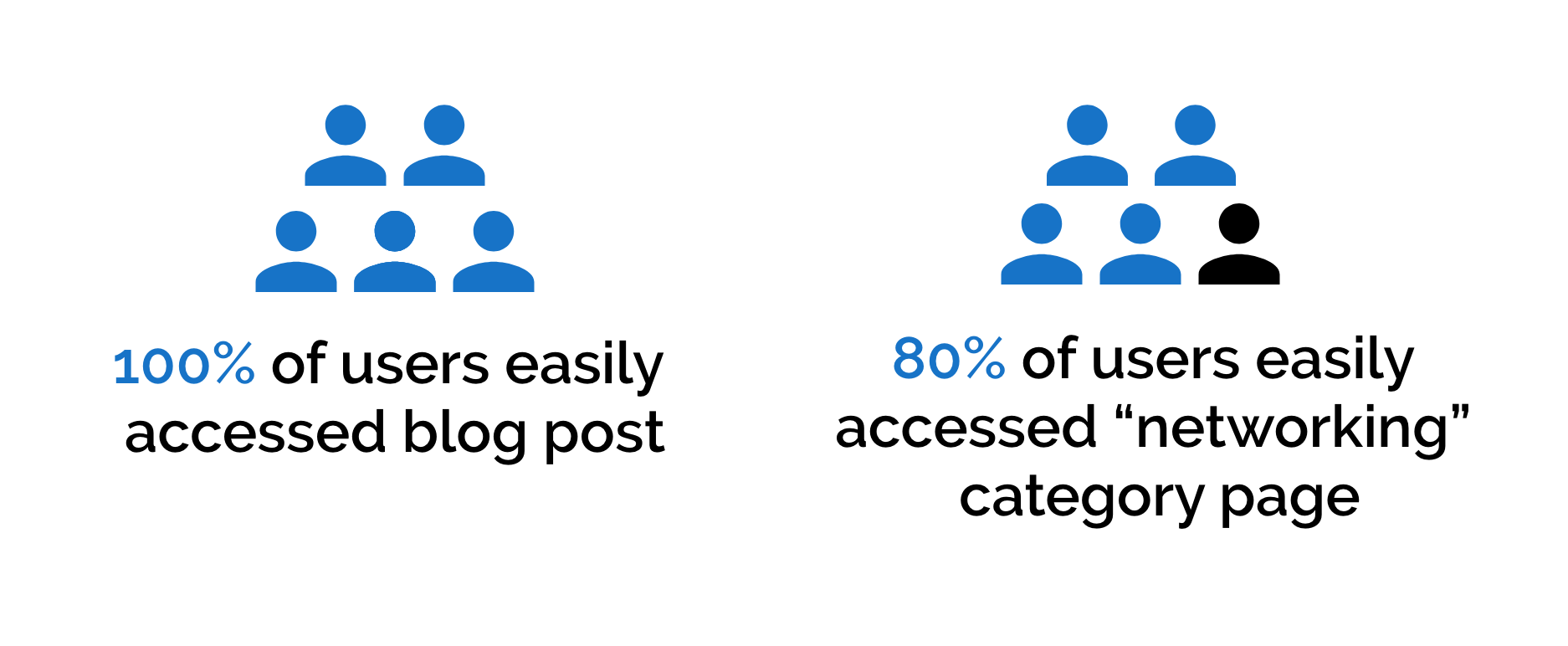
100% of users easily accessed blog post and 80% of users easily accessed the networking category page.

Quotes

  • The picture on the ‘Networking’ page is too big, I wouldn’t have known there were posts below.User 4
  • Too much white space.User 5
  • Is there a place to subscribe?” Users 2 & 4


First-Click Testing 

  • Objective → evaluate effectiveness of site navigation and ability to complete intended tasks 
  • Recruitment → recruited participants through word of mouth
  • Method → created first-click test through Optimal Workshop


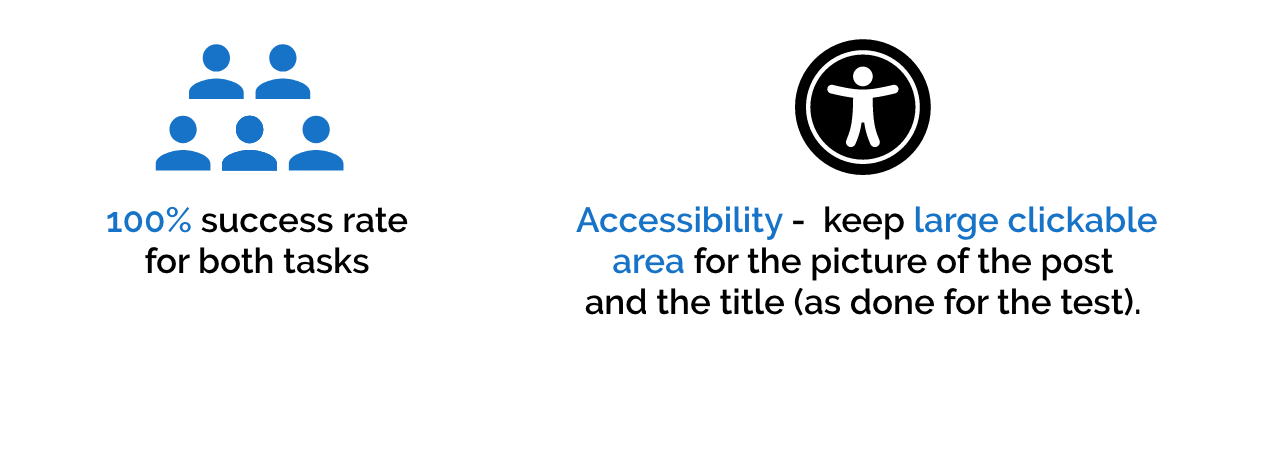
Key Findings

Prototype

Laptop with view of homepage.

Final Thoughts

There were 3 main takeaways that I learned through this project:

  1. Usability testing is always eye opening → gather great insights
  2. The importance of letting when working with text heavy content → the user needs to be able to scan through quickly
  3. Design sprints can be challenging